Pages

Showing posts with label and. Show all posts

Sunday, April 19, 2015

Apple releases iOS 7 0 6 for iPhone iPad and iPod touch firmware download now

Apple releases iOS 7.0.6 for iPhone, iPad and iPod touch firmware download now all version update here see and download now,
ios-7-0-6 1111111
Apple has just released iOS 7.0.6 (Build number: 11B651). The update is available for iPhone, iPad and iPod touch.
According to the release note the update includes a fix for SSL connection verification.
ios706-2222222222
The update seems to be available Over-the-air, and is 35.5MB in size on an iPhone 5s. Launch the Settings app, and navigate to General > Software Update to download and install the update.
Jailbreakers are advised to avoid upgrading to iOS 7.0.6, and wait for for the evad3rs dev team to confirm if it is safe to update to the latest iOS software update.

Previous Firmware Build:

Samsung Galaxy Mega 5.8 Duos SCH-P709 China How to Install P709KEUCNA3 Android 4.2.2 Jelly Bean Firmware

Google Nexus 5 Flash Official CM 11 Nightlies ROM Download Now
Original Link: See this link
Read more »

Nokia N78 White Blue Black and Blank Screen Display problem solution

This repair solution below may possibly help fix and repair a damaged Nokia N78 displays like white screen, blues screen, garbled, blank or black screen and some related display problems and failure.


N78 Display problem solution
N78 Display IC jumper ways solution


Repair Hints: There are two Display filtering chips used in the circuit, if already tried and replaced those both filter IC you may then also rework or replace the Display IC marked with number 3.
Read more »

Nokia N97 Send End and Menu Keys Not Working Solution

Heres the solution for Nokia N97 Send, End and Menu button keys not responding problem. This solution may possibly help fix and solved if the upper keypad keys stop working.
After ensuring that the upper keypad flex is okay but still the Send, End and Menu keys wont work you may then use and apply this solution below.


Nokia N97 SEND, END and MENU keypad keys failure Solution
nokia n97 menu send end key jumper ways tracks solution

The above solution shows the connection of the upper keypad keys line paths from the pin con connector through to the EMI-ESD filter chip. This filter IC also shared and being used for the camera module. So if both camera and and the upper keys are not working you may suspect that this chip is faulty or already damaged.
If the flex cable is okay and or already tried replacing a new one but the problem still exist, you may then check and replace the EMI-ESD filter IC. And dont forget to ensure that the pin connector is perfectly clean.
Read more »

Saturday, April 18, 2015

GPG Dragon Android Box Firmware and Manual UPDATE VeR 1 65 Use Full Update Many Cpu Supported

GPG Dragon Android Box Firmware UPDATED VeR 1.65 {23-01-2014}
GPG Dragon Box & Dongle Ver 3.41E SPD6820 READ ADB BACKUP 100% working
What is news?
1. Fixed the bug SPD not working in 1.63 firmware
2. Adjust the Box Pinfinding - all the chinese Mobile in the Year 2014
3. Other Minor Bugs Fix
4. Manual for Dragon users

For More, Visit the Link

GPGDragon Firmware 1.65 Update
Read more »

Friday, April 17, 2015

Nokia 5700 White screen and Blue Screen Display Problem Solutions

 If having tried to repair Nokia 5700 display problem issues and you installed a new LCD display module replacement on it but the problem still exists, This solution  may help fix and repair Nokia 57000 display problem issues like white screen, blue screen, blank screen, garbled screen and other related display problem that is not caused by the LCD display module.


Nokia 5700 Display Problem solution
nokia 5700 LCD display IC jumper ways
( white screen, blue screen and blank screen display repair)
There are two ESD-EMD filter is connected in the display circuits, If these ESD filter has been damaged it will result to display problem issues. Replacing it will possibly solved the display problem issues like white screen, blue screen, blank screen, garbled and saturated screen displays.
Read more »

Wednesday, April 15, 2015

Nokia 5220 Keypad solution Filter IC and Pin Connector Connection Line Tracks solution

This is the solution for a damaged Nokia 5220 that result to keypads malfunction or keys not working. This solution shows the complete connection line paths of the keypad filter IC and through to the kepad flex Pin connector.
This solution also shows and includes the Power ON OFF key line paths.

There are two Keypad ESD-EMI filter is being used in the circuit. The keypad line paths used nine input and output filtering lines in the Filter IC while the power ON OFF key also shared in this filter IC.


Nokia 5220 keypad Not working solution
nokia 5220 solution keypad IC jumper ways

If trying to replace the keypad filter IC you may also trace and check first each of its corresponding connection line paths, while the Filter IC being removed and just inplaced a new one after ensuring that all the line paths is okay.
Read more »

Monday, April 13, 2015

Nokia N97 mini white blue and blank screen display problem solution

A display problem like, white screen (WSOD), blue screen, blank or black screen, saturated and garbled screen displays, can be cause  by a  faulty or damaged LCD screen display and can be fix by installing anew LCD replacement on it. Sometimes an interrupted firmware also causes the problem and can be fix by restoring the device firmware. IF all of the above does not solved the problem you may then consider that the problem lies on the hardware components failures.

The solution below will show us a particular hardware components that holds and control the display data signals on Nokia N97 mini which enable the LCD screen to work.


Nokia N97mini Display Problem solution
nokia N97 mini display Ic jumper ways
The LCD display connector may also cause the problem if being corroded and oxidation occurs, cleaning it  first is a good idea.
If the device suffered like wet damaged, accidentally heavily dropped the display controller IC and its particular line paths  may also possibly damaged. Reworking and tracing each corresponding line tracks  will help fix display problem on Nokia N97 mini.
Read more »

Sunday, April 12, 2015

Nokia 2710 Blank Black and White Screen Display Problem Solution

Heres the solution which covers and possibly help fix nokia 2710 navigation edition Display problems such as blank or black screen, blue screen, white screen, garbled and saturated screen display problems.

If ever encountered this kind of problem you may first try to update or restore the device firmware first, and then try to install a new replacement LCD screen module.
If all of the above already been done but still the problem still exists, you may then used tjis solution below for hardware troubleshooting procedure on Nokia 2710 PCB board.


Nokia 2710 Display problem solution -hardware repair
nokia 2710 display jumper ways line tracks

You may start checking up  the nokia 2710  LCD pin connector, ensure that is absolutely clean.
There are two resistors mounted at the bottom of it, check this two resistors resistance value for it holds the display data signals through to the LCD screen. Replace if found damaged.
Check also the LCD screen module supply voltages, these are 2.8 and 1.8 volts.
If both resistors and supply voltages were okay, you may then suspects that the problem lies on the JUNO chip. Reworking this chip might possibly fix and repair Nokia 2710 display problem issues.
Read more »

Thursday, April 9, 2015

Nokia 2690 White Screen Blue and Blank Screen LCD Display Problem Solution

Heres a solution that may possibly help fix and repair Nokia 2690 LCD Display problems like white screen, blue screen, black or blank screen displays. If youre having tried to replace a new LCd display module replacement when trying to repair display problem on Nokia 2690 but nothing happens and the problem still exists. This solution below shows the connection of LCD display data signals from the application processor chip to  each single pins of the LCD connector.


2690 LCD display connection line tracks ( display jumper ways)
Nokia 2690 display full solution
The solution above shows a detailed information of the display data signal being feeds from the application processor IC to the LCD display pin connector. Each line is been filtered by a resistor that has resistance value of 33ohms each. You may check each resistor and trace each particular line paths, replace the resistor if found damaged or by then apply a jumper for an open line or cut connections.
Read more »

Saturday, April 4, 2015

Nokia X6 Send E60 and END keypad keys failure solution

If the Send, E60 and End key button keys failed to respond on Nokia X6, and you already tried to restore, reset, flash and update the device firmware but nothing happens.
Keypad keys malfunction on Nokia X6 may also possibly caused by a faulty keypad flex, cleaning or by replacing it will help solved the problem.


Nokia X6 joystick flex cable wire

If after replacing and ensuring that the flex is okay but the keys still unresponsive, you may then consider that the problem lies on a faulty keypad circuits  hardware components on the PCB board. This solution below will tell us which components holds and controls the keypad keys to function or work.

Nokia X6 Send, E60 and End key malfunction solution
nokia X6 keypad IC jumper ways
Check the keypad pin connector first ensure that it is free from dirt and oxidation.
From the keypad pin connector there are three line filter coils located near to it, have a check on this components and replace if found damaged.
From the keypad filter coils the lines is feeds to a keypad filtering chip or keypad IC, you may then check this chip, trace its line paths and replace if found damaged.
The I/0 Expander Chip is the keypad controller components, which holds and control the keypads including the Touch Control Module. You may also rework or replace this chip for further harder keypad problem repair on Nokia X6.
Read more »

Nokia 5030 White screen and Blue Blank LCD Display solution

Heres a solution to solved Nokia 5030 xpressradio Display problems such as White Screen, Blue scree, blank screen, black screen and any related display failures.
This solution shows the display line tracks connection from a certain components to the LCD pin connector.


5030 LCD display problem solution (display jumper ways)
The display data signals is feed from the application processor then each line is filtered by resistor before it gets through to the LCD module.
Read more »

Wednesday, April 1, 2015

nokia n82 No ringer and hands free speaker sounds solutions

Heres the solution for Nokia N82 No ring tone and hands free sounds can be heard. If the the loud speakers is working okay when being checked but still no sounds can be heard, this solution shows particular components that may possibly damaged and result to no audio sound output over the speaker.


Nokia N82  ringer and hands free speaker No sounds solutions
Nokia N82 ringer hands free spkear problem solution

You may check those components shown on the solution above and replace if found damaged,trace also each line paths for further repair or troubleshooting.
Read more »

Tuesday, March 31, 2015

Nokia 7230 White Screen Blue Screen and Black Screen LCD Display Problem Solution

This solution may used to troubleshoot and repair a damaged Nokia 7230 that result Display problem issues like white screen, blue screen, blank or black screen, garbled and saturated screen displays that is not due to LCD Screen Display Module problem.
This solution may possibly help fix and repair Nokia 7230 after ensuring that the LCD screen display module is working okay and or already tried installing it a new replacement spare LCD module.


Nokia 7230 Display Problem Repair Solution
nokia 7230 display jumper ways and tracks
The solution above shows the Line tracing spots from the LCD flex pin connector to a certain components On Nokia 7230 PCB Board. You may check and trace this line tracks and check the corresponding components connected to it. If all the line tracks is okay. You may then suspect that the application processor or CPU is faulty or being damaged.
Please take note that handling CPU IC is  complicated and needs expertise, so observed extra precautions.
Read more »

Saturday, February 7, 2015

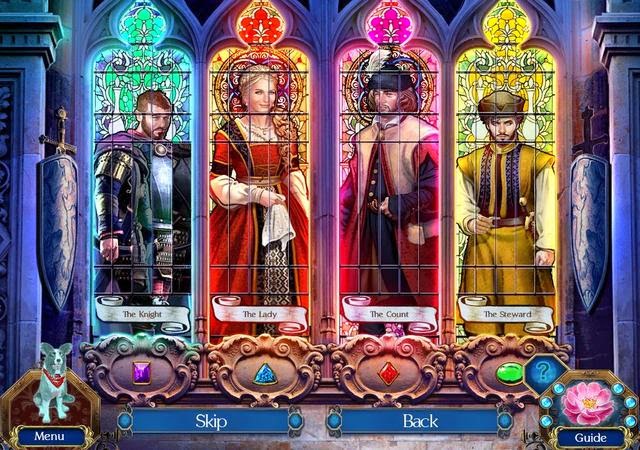
Death and Betrayal in Romania A Dana Knightstone Novel Collectors Edition

Tragedy strikes Dana Knightstone, the best-selling novelist with a gift for clairvoyance. Step into the shoes of Dana while traveling to a book signing event in Romania. Find yourself suddenly trapped by an avalanche in the cold mountain alps where you are stranded in an old castle.Discover hidden passageways within the old castle walls to free yourself from the grasp of the ghost of the castle that seeks to imprison you. Find clues buried under the dusty dungeon floor and uncover the captivating story of love and betrayal.

Game Size 611 MB

OR
OR

Screenshots:


Have fun and feel free to leave your comments!
Read more »

Thursday, February 5, 2015

Oppo Find 5 and N1 will get Android 4 4 KitKat after all

Back in August we got word that Oppos Find 5 wouldnt ever be officially updated to Android 4.4 KitKat. This info came from the Chinese company itself, though in the meantime it looks like its changed its mind. Thats because today it said that KitKat updates are headed to both the Find 5 and the N1 (pictured below). Oppo revealed the plans via a comment from its official account on Google+.
Read more »

Wednesday, February 4, 2015

Lumia Cyan and Denim updates come to O2 Germany in Q4

O2 Germany has decided to push the Lumia Cyan and Denim updates at the same time. The roll out will happen as a single update package to eligible Lumia smartphones by the end of the year. This is bad news for Lumia owners using O2 Germany services since theyll have to wait a bit longer for their devices to jump to Windows Phone 8.1 (Cyan update). In the end, the carrier is saving itself the
Read more »

Saturday, January 31, 2015

Apple�s iPhone 6 And iPhone 6 Plus Top A Record 4 Million Pre Orders In First 24 Hours

Apple announced yesterday that they have received a record number of pre-orders for the iPhone 6 and the iPhone 6 Plus in its first 24 hours of availability. The number has actually surpassed 4 million, putting this release on track to be the biggest launch in the companys 38 year history. The decision to move to two larger-screen devices appears to be a stroke of genius by Apple as consumers from ten territories ensured that the initial stock was completely depleted.

Two years ago when Apple launched the iPhone 5, there were 2 million pre-orders in the first 24 hour. This was the first iPhone model to move away from the standard 3.5 inch display across to a 4 inch offering. Last year when we had two models to choose from, the iPhone 5s and the iPhone 5c, 9 million units were sold during hte first weekend of actual availability in digital and brick and mortar stores. Yesterdays announcement of 4 million units sold as part of a pre-order offer puts Apple on track to completely obliterate those numbers.

Judging by initial stock level updates when pre-orders went live, it looks like the jumbo-size iPhone 6 Plus model is proving to be the most popular. This is potentially down to a large number of Android users decided to take advantage of the power of iOS 8 on a larger screen device. This theory has also been backed up by announcements from buyback services relating to a huge increase in Samsung devices being traded in after the Apple announcement.

To coincide with the initial success of the iPhone 6, it is being reported that Apple has already instructed a number of manufacturing partners to ramp up their production schedule by 30 to 40% on last years initial run of the two available iPhone models. Apple also announced via an official press release that the iPhone 6 and the iPhone 6 Plus will be available in an additional 20 countries on Friday, 26th September. Tim Cook has also described the iPhone 6 models as being better in every way and he is thrilled that customers love them as much as he does. If all these figures are anything to go by, it looks like 4 million people are in agreement with Mr. Cook. What about you, have you pre-ordered your iPhone 6 or iPhone 6 Plus model yet?

Read more »

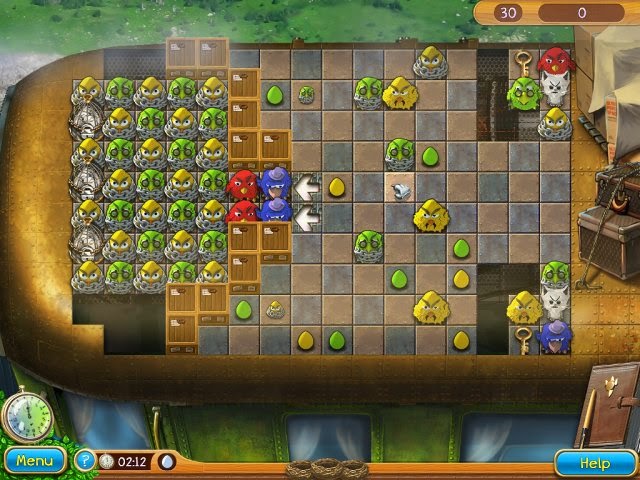
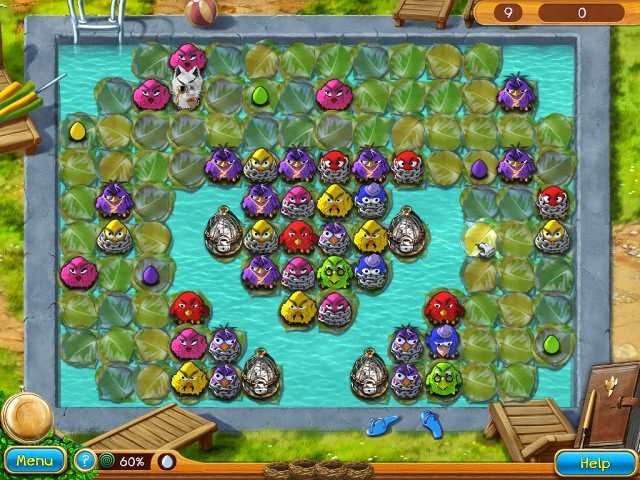
Claws and Feathers

Get ready for the fur to fly in this wild and crazy matching game! A flock of friendly birds is out for revenge after a gang of cats led by a portly feline with a weakness for hamburgers steals their chicks. Match clusters of birds to clear a path to the hatchlings and reclaim what belongs to your finely feathered friends. Along the way, surround pesky cats to remove them from the game board, blow up the walls that stand in your way, and make big matches to earn powerups that can save the day! Just remember to think strategically, as each move you make without creating a match results in more birds hatching, making it that much harder to achieve your goals. With dozens of challenging levels, colorful graphics, and a storyline that will have you squawking with laughter, Claws & Feathers will provide hours matching fun!

Game Size 169 MB

OR
OR

Screenshots:


Have fun and feel free to leave your comments!
Read more »

Thursday, January 29, 2015

Nokia 130 now available in China Pakistan and Nigeria

The first (and perhaps only) feature phone that Microsoft has unveiled, the Nokia 130, is now available in stores in China, Pakistan and Nigeria. The rollout to other countries will continue in the following weeks. The Nokia 130 has a recommended retail price of just €19 for the single-SIM version. Thats CNY 151, PKR 2,530 or NGN 4,010 by todays exchange rates. Theres a dual-SIM version of the
Read more »

Sunday, January 25, 2015

Simple Way to get Stock and Rooted

How to get STOCK and ROOTED simple way for your GT-N7000 Phone?

1. Download latest firmware
Model: GT-N7000
Country: Germany (T-Mobile)
Version: Android 4.1.2
Changelist: 1103517
Build date: Fri, 26 Jul 2013 14:12:25 +0000
Product Code: DTM
PDA: N7000XXLTA
CSC: N7000DTMLT5
MODEM: N7000BOLT1

2. Install it via ODIN. Boot you phone in DOWNLOAD MODE. POWER+HOME+VOLUME DOWN
Select file above in PDA and [Start]. Setup your phone. The best and clean installation. RESET to Factory your phone. Make sure backup your Photo, SMS, Contacts, etc...
3. Download XXLTA Philz and copy it into your External SD Card.
4. Reboot Recovery. POWER+HOME+VOLUME UP
5. Install XXLTA ZIP File
6. DONE. You are clean STOCK and ROOTED+CWM!

To THEME your phone. Latest using Xposed Framework


Read more »